

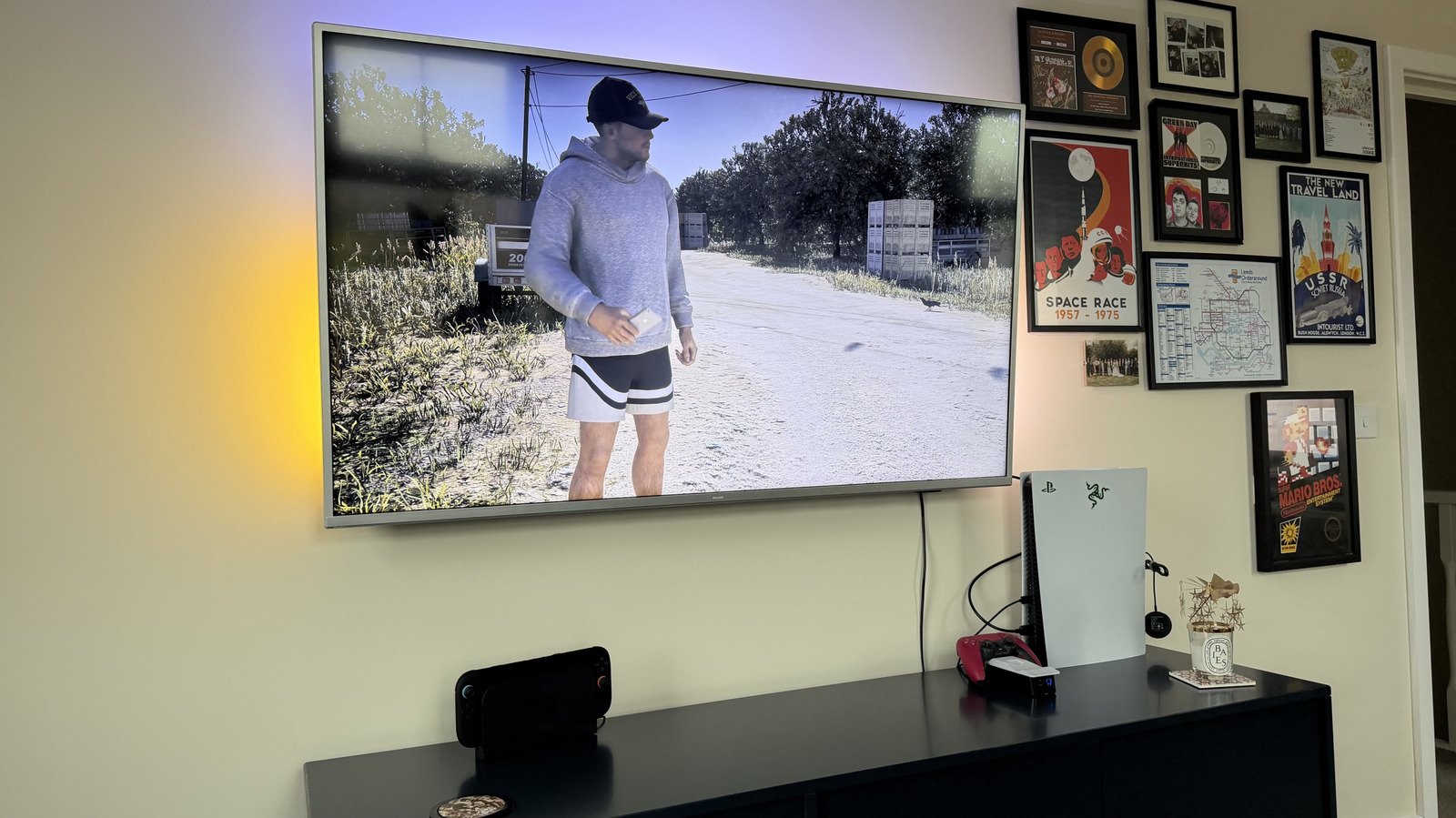
GTA 6 already pushes each PS5 and Xbox to its restrict, however is yours falling in need of it?
Inside days of GTA 6’s November 19 debut, Xbox house owners had discovered a approach to break its 30 fps cap. The trick, which was first reported on November 22, entails flipping a Collection X’s output between 60Hz and 120Hz, then hopping out and in of the sport utilizing Fast Resume. It really works… type of. When Digital Foundry examined the trick, it discovered the uncapped Collection X averaged about 36 fps over an hour of play. The sport’s vehicles and animations additionally moved noticeably quicker than they’re meant to (some at round double pace).
It is essentially the processor that is holding GTA 6 at 30 fps on current-gen consoles (PS5 Professional included). The truth that a Collection X with the limiter switched off is simply capable of finding six additional frames per second illustrates how little is left to play with, so tinkering with settings is not going to do very a lot. What you are able to do, nonetheless, is verify whether or not your console is benefiting from its accessible {hardware}.
A system that is old-fashioned, caught in a stale session, choked with mud or studying the sport off the unsuitable drive might simply fall brief. Here is easy methods to discover out if yours is falling sufferer to any of those issues.
1. Know what body charge try to be getting
I’ve performed round 60 hours of GTA 6 within the final week on an original-model PS5 I purchased in 2021, and have not seen an excessive amount of dipping beneath 30 fps outdoors of full-on rampages. There are some drops, although, which aligns with others’ findings that it recurrently falls slightly below 30 fps throughout strange metropolis drives, and dropped to 23 fps throughout a grenade launcher check with a number of explosions. The PS5 Professional fares a lot better, with stress exams discovering that it maintains 30 fps for essentially the most half, solely dropping to round 24 fps when the participant wrecks as many vehicles as potential suddenly.
The Collection X, in the meantime, typically holds its 30 fps goal however can slip throughout busy scenes and explosions. The Collection S, which renders at 720p internally, struggles fairly a bit. It hovers between 25 and 30 fps for many of the sport and drops to as little as 20 in busy areas and when autos begin blowing up, with one explosive scene briefly tanking it to 18 or 19 fps throughout Kotaku‘s testing.
Since consoles do not have built-in body charge counters, the only approach to monitor fps is to observe for stuttering. If the motion will get uneven throughout firefights, police chases, explosions and pile-ups, your body charge is dropping, which is considerably regular for current-gen console {hardware}. You should not be shedding frames throughout cutscenes or when strolling or driving round usually, even on a Collection S.
In case you are, that is an indication one thing else is amiss along with your console. As for native 40 or 60 fps modes, Rockstar’s expertise manufacturing director Marc Chambers has stated that even the PS5 Professional’s processor is not highly effective sufficient, settling a major question about GTA 6’s controversial FPS decision.
2. Ensure your sport is updated
Rockstar launched GTA 6’s first post-launch replace on November 23. The patch notes describe fixes for a number of points that triggered the sport to crash, together with bugs that might stall playthroughs, from damaged autosaves to story telephone calls that would not come by means of. Nowhere within the patch notes is body charge or efficiency talked about, although. The rumor mill began spinning up shortly after, claiming that Rockstar would push a stuttering repair on November 25, however nothing got here of it.
To verify whether or not your sport is updated on PS5, spotlight GTA 6 on the principle menu, press the Choices button in your controller and choose Test for Replace. Xbox gamers ought to go to My video games & apps, select Handle after which verify underneath Updates to see titles which have newer variations accessible. Storage is likely to be a problem, given the base game’s absolutely massive 212GB size. Sony has warned that putting in information can require roughly twice as a lot free house because the set up dimension, so a console that is stuffed to the brim may refuse to put in the patch.
Gamers had been nonetheless posting about error CE-108255-1 and others as just lately as November 25. Sony describes it, quite vaguely, as an error with a sport or software. If it retains taking place after updating, Sony’s crash troubleshooting runs by means of putting in the most recent system software program, beginning a brand new save and, as a final resort, deleting and reinstalling the sport.
3. Stop the sport as an alternative of resuming it
Fast Resume on the Xbox Collection X and S saves the state of a sport if you change to a different one, then reloads that state if you come again. It is the function that allows the body charge glitch talked about earlier. It really works by setting the console to 60Hz, beginning GTA 6, switching to 120Hz on the loading display, launching a distinct sport after which leaping again in by means of Fast Resume. This relaunches the sport with its cap eliminated, permitting it to run quicker than it is meant to — although it may well result in crashes and bugs.
In testing by Digital Foundry, the uncapped Collection X solely reached 60 fps when flying a aircraft with nothing however sky in view. It managed round 40 fps on highways with mild site visitors, however barely beat 30 in heavier scenes, akin to busy streets. It concluded that 60 fps is just out of attain on present {hardware} and that though a 40 fps mode with VRR might make sense on Collection X, it would not be a transparent enchancment over the present 30 fps cap.
To get a clear begin on Xbox, press the Xbox button, spotlight GTA 6, press the Menu button after which choose Stop. You can even manually choose which games use Quick Resume by means of Handle sport and add-ons > Fast Resume settings on a sport’s tile. Microsoft added that function again in April as a result of Fast Resume does not all the time behave as supposed in sure titles (significantly after a sport has been inactive for some time).
The PS5, in the meantime, retains video games suspended in relaxation mode. Thus, closing GTA 6 by highlighting its icon on the principle menu, urgent Choices and selecting Shut Recreation, or turning the console off utterly, achieves the identical outcome. You should definitely save your sport recurrently since you will not have sleep mode as a fallback.
4. Clear out the mud and provides it respiration room
Sony’s PS5 security information recommends maintaining your console roughly 4 inches away from partitions, out of closed cabinets or other cramped spaces, and off long-pile carpets. It also needs to be freed from mud on its vents. Microsoft recommends comparable for the Xbox: a well-ventilated, comparatively cool spot away from warmth sources, with nothing sitting on, underneath or proper subsequent to the console. Since each went on sale in late 2020, loads of consoles have had six years to suck up mud.
Whereas neither Sony nor Microsoft says {that a} scorching console will result in slower gameplay, warmth stress wears elements down extra shortly. Additionally, in case your PS5 will get too scorching, you will be met with an on-screen warning, at which level Sony recommends switching it off and letting it quiet down to forestall injury. On Xbox, in the meantime, poor air flow and/or overheating is certainly one of two causes Microsoft offers for the console switching itself off with out warning. So whereas a scorching console will not essentially minimize the body charge, it might crash your sport or drive your console to close down.
There’s additionally been hypothesis that overheating might be behind among the PS5 crashes we have seen since GTA 6’s launch. That is probably due to degradation of the liquid metallic that sits between the processor and its cooler. A clear console is not a workaround for {hardware} limitations and faults, but it surely does take away warmth as a possible suspect.
Sony says that earlier than cleaning your PS5, it is best to unplug it and wipe the surface with a smooth, dry material. Its aspect covers come off, permitting you to wash the mud catchers extra simply.
5. Play from the console’s inner SSD
GTA 6 wants as much as 212GB of free house on each consoles, which is near a 3rd of the roughly 667GB that is usable on an 825GB PS5. That may push you towards putting in the sport on a secondary M.2 SSD added to the console’s expansion slot. Whereas the PS5 is appropriate with a variety of PCIe Gen4 drives, Sony recommends a sequential learn pace of 5,500 MB/s or quicker and requires a heatsink or comparable cooling. However even with a appropriate drive quicker than that, video games will not essentially carry out the identical as they might on the inner SSD.
As you’d count on from such a dense title, the sport is consistently pulling in information as you progress round Leonida. Digital Foundry’s Series S testing discovered body charge drops in conditions that put a heavy load on the console’s AI or streaming, so the sport leans on its storage greater than others do.
Whereas we have not seen any examples of GTA 6 behaving problematically when put in on an M.2 drive, should you’re doing so and expertise stutter if you should not, shifting the sport again to inner storage is price a strive. In your PS5, go to Settings > Storage > M.2 SSD Storage > Transfer Video games and Apps to maneuver as wanted. On an Xbox, Collection X and S video games can solely run from the inner SSD or Microsoft’s Storage Growth Card, which Microsoft says performs identically to the inner drive.
